Ultimate Guide to AI Tools: ChatGPT, Copilot, Power BI, and Jira Assistants in Today’s Market
Ultimate Guide to AI Tools. Artificial intelligence is no longer a futuristic concept—it has become an essential driver of productivity, innovation, and decision-making across industries. Businesses, educational institutions, and individual professionals increasingly rely on AI-powered tools to streamline tasks, enhance creativity, and unlock actionable insights. Among the standout tools in today’s AI ecosystem are ChatGPT, Copilot, Power BI, and Jira Assistants, each serving distinct purposes while collectively transforming workflows and operational efficiency.
These tools are shaping the way we communicate, analyze data, and manage projects. Their adoption is not just a trend but a strategic move for organizations that aim to stay competitive in a market where digital transformation and automation are critical. In this guide, we will explore each tool in depth, highlighting their features, benefits, practical applications, and the broader implications for businesses in 2025.

Understanding the AI Landscape
Artificial Intelligence has evolved dramatically over the last decade, moving from basic automation and rule-based systems to advanced machine learning, natural language processing, and predictive analytics. Modern AI tools leverage massive datasets and sophisticated algorithms to perform tasks that were once the exclusive domain of humans. These include content generation, decision-making support, project management, and complex data analysis.
The Rise of AI-Powered Assistants
Ultimate Guide to AI Tools. The introduction of AI-powered assistants has redefined productivity and collaboration. Unlike conventional software, AI assistants are capable of understanding context, learning from interactions, and performing tasks proactively. They can respond to natural language queries, generate insights from unstructured data, and even predict outcomes based on historical patterns. In the current market, the sophistication of AI assistants is a key differentiator for businesses seeking efficiency and competitive advantage.
Large Language Models (LLMs) like those behind ChatGPT have propelled AI assistants to new heights. These models can generate text that is coherent, contextually relevant, and remarkably human-like, making them invaluable for content creation, customer engagement, and decision support. Similarly, AI integration in tools like Copilot and Power BI enhances functionality by providing intelligent suggestions, automating routine tasks, and uncovering hidden patterns in data.
ChatGPT: The Conversational AI Revolution
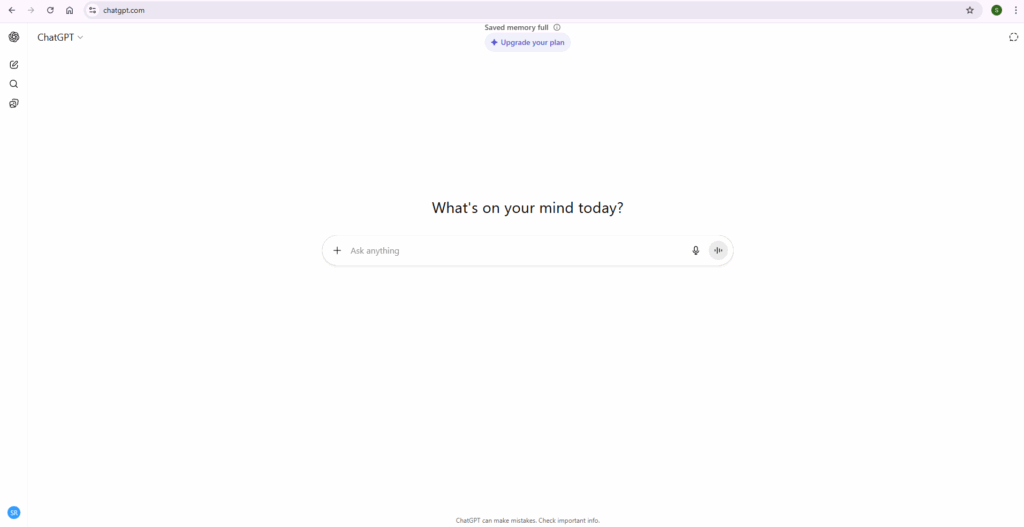
What is ChatGPT?
Ultimate Guide to AI Tools. ChatGPT is an AI language model developed by OpenAI. It uses deep learning techniques and vast datasets to generate human-like text responses. What sets ChatGPT apart is its ability to understand context, follow instructions, and maintain coherent conversations over multiple interactions. Its versatility makes it suitable for a wide range of applications, from drafting emails to tutoring students in complex subjects.
Applications of ChatGPT
Businesses leverage ChatGPT for content creation, producing blogs, social media posts, and marketing copy efficiently. By automating these tasks, teams can maintain consistent output without sacrificing quality. ChatGPT is also widely used in customer support, providing instant responses to queries, reducing wait times, and improving satisfaction rates. In education, it serves as a tutor capable of explaining difficult concepts, generating practice exercises, and offering real-time feedback.
Moreover, ChatGPT finds applications in creative industries, including scriptwriting, game development, and brainstorming sessions. Its ability to generate ideas and draft text rapidly accelerates the creative process and enables professionals to iterate more quickly. For technical domains, ChatGPT assists in code generation, debugging, and documentation, bridging the gap between developers and project requirements.
Benefits of Using ChatGPT
The adoption of ChatGPT offers several advantages. First, it enhances efficiency by automating repetitive writing tasks, allowing teams to focus on higher-value work. Second, it provides scalability, handling multiple interactions simultaneously without fatigue, a feature particularly valuable for customer service operations. Third, ChatGPT ensures consistency, delivering uniform responses that maintain brand voice and accuracy across communications.
Additionally, ChatGPT’s adaptability allows it to serve industries ranging from healthcare to finance, providing specialized insights and tailored responses. Its integration into collaboration platforms further supports remote work by facilitating seamless communication and knowledge sharing among distributed teams.
Copilot: Enhancing Productivity with AI Assistance
What is Copilot?
Ultimate Guide to AI Tools. Copilot is an AI-powered assistant integrated into Microsoft products such as Word, Excel, and Outlook. Leveraging advanced machine learning, Copilot aids users in drafting content, analyzing datasets, generating reports, and managing emails efficiently. Its ability to interpret user intent and provide context-aware suggestions transforms how individuals interact with software applications.
Features of Copilot
Copilot assists in document drafting, offering suggestions for phrasing, structure, and tone. It helps create professional documents with minimal effort, maintaining consistency across various communication channels. In data analysis, Copilot can generate insights, summarize trends, and produce visualizations directly within Excel, saving analysts hours of manual work.
For email management, Copilot streamlines communication by drafting replies, prioritizing messages, and even suggesting actionable next steps. It also integrates with meeting tools to summarize discussions and highlight key takeaways, supporting better follow-ups and collaboration.
Advantages of Copilot
The primary advantage of Copilot is its ability to save time, reducing the effort spent on routine tasks. Users benefit from a user-friendly interface that blends seamlessly with existing Microsoft applications, minimizing learning curves. Furthermore, Copilot enhances accuracy by leveraging AI to reduce human errors in content and data analysis, enabling more informed and confident decision-making.
Copilot’s contextual understanding also allows for personalization, tailoring suggestions to the user’s writing style, domain expertise, and workflow patterns. This personalized assistance not only improves productivity but also empowers employees to deliver higher-quality work more consistently.
Power BI: Transforming Data into Insights
What is Power BI?
Ultimate Guide to AI Tools. Power BI is a comprehensive business analytics tool developed by Microsoft, designed to turn raw data into actionable insights through interactive visualizations and dashboards. By integrating AI capabilities, Power BI allows users to analyze data more intelligently, forecast trends, and make informed business decisions.
Capabilities of Power BI
Power BI excels in data visualization, creating compelling reports that reveal patterns and trends clearly. Its data integration capabilities allow seamless connection to multiple data sources, including databases, cloud services, and real-time feeds. AI-enhanced features such as predictive analytics, natural language queries, and anomaly detection provide deeper insights and more proactive decision-making.
The platform also supports collaboration, enabling teams to share dashboards and reports effortlessly. Organizations can embed visualizations in internal portals, mobile apps, or websites, ensuring stakeholders have real-time access to critical data.
Benefits of Power BI
Power BI enables informed decision-making by providing actionable insights derived from comprehensive data analysis. Its collaborative features foster team alignment, ensuring all members operate with the same information and strategic goals. Additionally, Power BI’s customizability allows organizations to tailor dashboards to their unique KPIs and reporting requirements, improving relevance and usability.
By integrating AI, Power BI enhances forecasting accuracy, detects anomalies before they escalate into issues, and provides recommendations for operational improvements. These capabilities empower organizations to move from reactive to proactive strategies, gaining a competitive edge in their industry.
Jira Assistants: Streamlining Project Management
What are Jira Assistants?
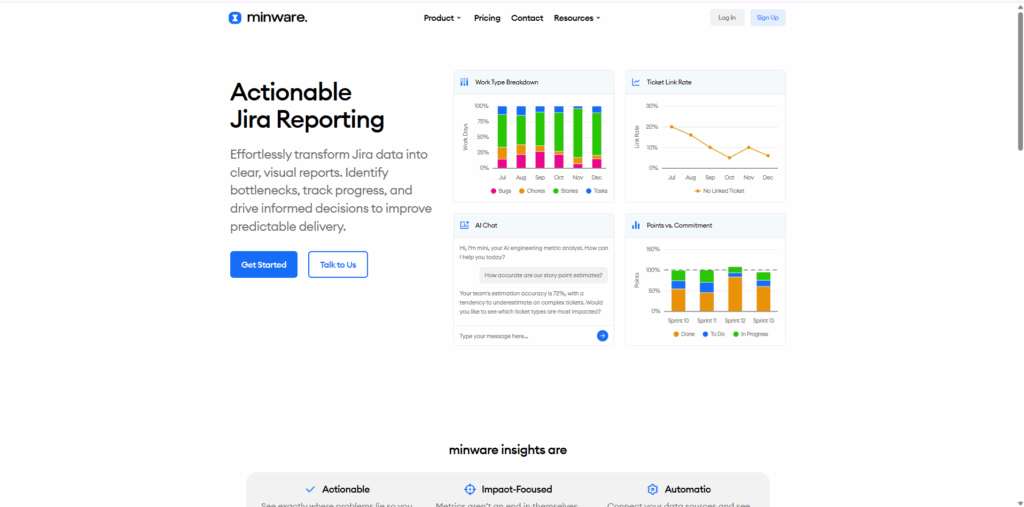
Ultimate Guide to AI Tools. Jira Assistants are AI-powered tools embedded within Atlassian’s Jira software, designed to optimize project management processes. They automate routine tasks, predict project timelines, monitor progress, and provide insights into team performance. These assistants are especially valuable for agile teams managing complex projects with multiple stakeholders.
Functionalities of Jira Assistants
Jira Assistants perform task automation, handling repetitive workflows such as ticket updates, status reporting, and resource allocation. They provide timeline predictions based on historical data, enabling project managers to anticipate bottlenecks and plan more effectively. Additionally, Jira Assistants deliver performance insights, analyzing metrics like velocity, workload, and team efficiency to suggest improvements.
AI assistants in Jira also support risk management, identifying potential delays and dependencies before they impact project outcomes. By integrating with communication tools, they ensure transparency and keep all team members informed about project updates in real time.
Advantages of Jira Assistants
Jira Assistants significantly enhance productivity by offloading mundane tasks, allowing project managers to focus on strategy and decision-making. They enable data-driven decisions by analyzing project performance and providing actionable recommendations. Moreover, their scalability ensures that teams of any size, from startups to large enterprises, can benefit from intelligent project management.
By streamlining workflows and improving visibility, Jira Assistants help teams maintain agility, meet deadlines, and achieve project goals efficiently. Their predictive capabilities also reduce risk, improving project outcomes and stakeholder satisfaction.
Integrating AI Tools into Business Operations
Enhancing Workflow Efficiency
Ultimate Guide to AI Tools. Integrating AI tools like ChatGPT, Copilot, Power BI, and Jira Assistants can transform operational workflows. These tools automate repetitive tasks, provide actionable insights, and enable faster completion of complex processes. For instance, content teams can leverage ChatGPT for article drafting while simultaneously using Copilot to analyze related data and Power BI to monitor engagement metrics, all integrated into a seamless workflow.
Improving Decision-Making
AI tools enhance decision-making by offering predictive analytics, trend identification, and scenario modeling. Businesses can simulate outcomes based on historical data, assess risks, and make informed choices. By reducing uncertainty, AI tools allow managers to allocate resources more effectively and focus on strategic priorities rather than routine monitoring.
Facilitating Collaboration
AI tools improve collaboration by providing shared platforms for communication, reporting, and task management. Teams can access centralized dashboards, receive automated updates, and collaborate on insights derived from AI analysis. This integration fosters alignment, minimizes miscommunication, and accelerates project timelines.
Challenges and Considerations
Data Privacy and Security
Ultimate Guide to AI Tools. While AI tools offer immense benefits, they raise data privacy and security concerns. Organizations must implement robust security measures, comply with data protection regulations, and ensure that sensitive information is safeguarded against unauthorized access or misuse.
Ethical Implications
The use of AI introduces ethical challenges, including potential job displacement, bias in decision-making, and accountability. Businesses must evaluate the societal impact of AI adoption and develop policies to address fairness, transparency, and responsible use.
Implementation Costs
Implementing AI tools involves costs related to software acquisition, training, integration, and ongoing maintenance. Organizations must weigh these costs against the expected benefits and ROI, ensuring that AI adoption aligns with strategic objectives and operational capacity.
Future Trends in AI Tools
Increased Automation
AI will continue to drive automation across industries, handling routine tasks, enhancing operational efficiency, and freeing human resources for higher-value activities. Future AI assistants will combine natural language understanding with predictive analytics for more intelligent automation.
Enhanced Personalization
AI tools will increasingly provide personalized experiences, adapting to individual user preferences and workflows. Personalized AI enhances productivity, engagement, and satisfaction by delivering tailored suggestions and insights.
Integration Across Platforms
Seamless integration of AI across platforms will become a key trend. Businesses will benefit from unified AI ecosystems that provide consistent insights and automation across applications, improving efficiency and reducing workflow fragmentation.
Conclusion
AI tools such as ChatGPT, Copilot, Power BI, and Jira Assistants are reshaping the way organizations operate. They enhance productivity, enable data-driven decision-making, streamline workflows, and foster collaboration. As AI continues to evolve, these tools will play an increasingly vital role in business operations, driving innovation and competitive advantage.
Organizations that understand the capabilities, benefits, and practical applications of these AI tools can leverage them to optimize performance, improve outcomes, and stay ahead in an increasingly AI-driven world.
For more insights, visit the ClayDesk Blog: https://blog.claydesk.com